Uncategorized

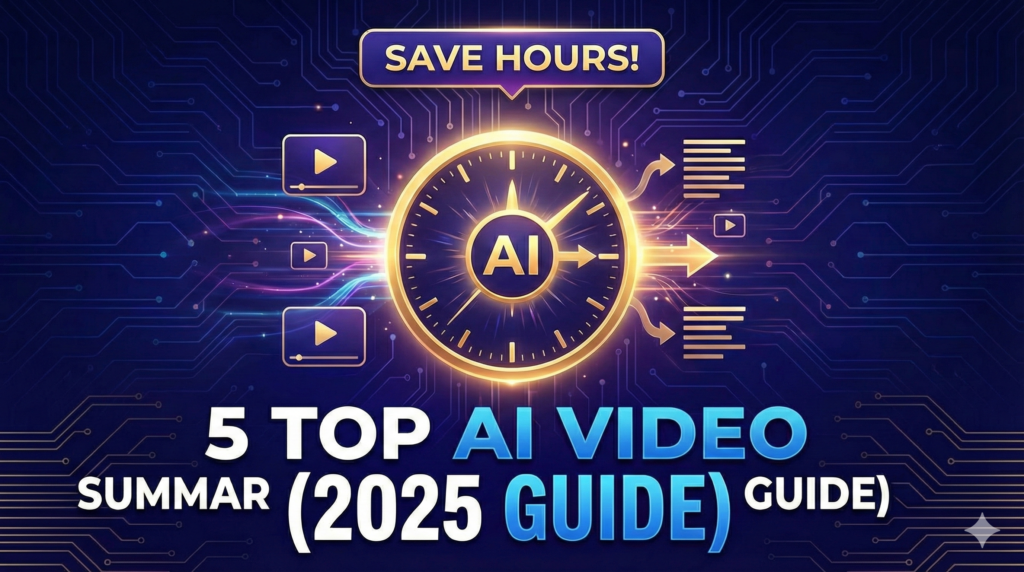
5 Top AI Video Summarizers to Save Students and Professionals Hours of Watching (2025 Guide)
Uncategorized

5 Top AI Video Summarizers to Save Students and Professionals Hours of Watching (2025 Guide)

5 Top AI Video Summarizers to Save Students and Professionals Hours of Watching (2025 Guide) Long videos are everywhere today. Lectures, tutorials, podcasts, interviews, and full online courses dominate platforms like YouTube. While this content is valuable, watching everything from start to finish is often unrealistic for students and busy professionals. This is where AI video summarizers completely change the game. Instead of scrubbing endlessly through timelines, these tools automatically condense long videos into clear summaries, key takeaways, and timestamped sections that can be reviewed in minutes. The goal is simple. Save hours of watching time while still capturing the core ideas. The End of Endless Scrubbing Most students already use a smart trick when watching lecture videos. They quickly scan through the video at the beginning to identify the main topics. This gives the brain an expectation of what is coming and helps maintain focus later. AI video summarizers take this method much further. Instead of a rough overview, AI generates precise summaries, structured outlines, and timestamps that let you navigate the video intelligently. You know exactly where to focus and what sections matter most. Tools like NoteGPT, ScreenApp.io, and Recall can turn hours long lectures into notes that take only minutes to review. Understanding the Tech: How AI Condenses Hours into Minutes   Natural Language Processing (NLP): This allows the AI to understand spoken language and identify key ideas from the transcript. Speech Recognition: This enables summarization even when videos do not have subtitles or include multiple languages. Output Generation: Summaries can be delivered as text, bullet points, mind maps, flashcards, or structured notes depending on the tool. This combination allows AI to produce summaries that are far more accurate than manual skimming. Critical Features That Define the Best Video Summarizer Not all AI video summarizers are equal. The best tools usually share these features. Multi-Platform Support: Support for YouTube, TikTok, Instagram, Facebook, and uploaded files. Structured Outputs: Timestamped summaries, outlines, and highlights for fast review. Multilingual Capability: Support for 60 to over 100 languages for global learners. High Accuracy: Advanced models that maintain accuracy even for technical or academic content. The Top 5 AI Video Summarizers Transforming Productivity Knowt: The Active Recall Specialist Know that is built specifically for students who want to actively retain information. It allows users to upload videos and receive summaries, flashcards, and quiz questions in under 30 seconds. You can also chat with the summary using its built-in assistant. This makes it especially popular among students who previously relied on Quizlet or Anki. NoteGPT: The Batch Processing Powerhouse NoteGPT focuses on efficiency at scale. It can summarize YouTube videos of any length and supports batch processing of up to 20 videos at once. This is ideal for entire lecture series or long playlists. It also supports subtitle translation across more than 60 languages and uses advanced AI models like GPT-4 and Claude. Mapify: The Visual Learning Champion Mapify is designed for visual learners. Instead of traditional summaries, it converts videos into interactive mind maps on an infinite canvas. These maps include timestamps and can be reorganized or customized. This approach is extremely useful for podcasts, courses, and concept-heavy material. Decopy AI: Best Free Structured Outline Generator Decopy AI focuses on clean structure and accessibility. It generates bullet points, FAQs, outlines, and mind maps directly from videos without requiring a login. Summaries are aligned with timestamps and support multiple languages. With up to 50 free summaries per day, it strongly appeals to users searching for free YouTube summarizer tools. ScreenApp.io: The Multi-Social Summarizer ScreenApp.io stands out for its versatility. It supports summarizing content from YouTube, TikTok, Instagram, and Facebook with very high accuracy. This makes it ideal for students who consume educational content across multiple platforms. It also offers a free tier with daily usage limits. Insights from Real Usage: Lessons from Power Users According to content creator Joseph Chandler, the biggest advantage of AI video summarizers is not just saving time, but organizing information for future use. Tools like Recall and Otio store all summaries in a centralized library, making it easy to search, revisit, and connect ideas later. Recall goes even further by automatically categorizing videos by topic and creating a visual knowledge graph that links related concepts together. This transforms video consumption from passive watching into an active knowledge system. Real-World Use Cases Students Students use AI video summarizers to review lectures, prepare for exams, and convert long courses into flashcards and quick reference notes. Researchers and Professionals Researchers extract insights from conference talks, webinars, and interviews. Professionals use summaries to track industry trends without watching full recordings. Content Creators Creators repurpose long videos into structured outlines, scripts, blog posts, and social media threads efficiently. Community Consensus: What Users Say Discussions on platforms like Reddit confirm that AI video summarizers massively reduce study time. Tools like Recall are praised for accuracy, while platforms such as Summarize.tech are often recommended for technical subjects like computer science. Collaborative tools like Glasp add a social layer by allowing users to share and compare notes. Conclusion: Define Your Learning Efficiency AI video summarization is redefining how people learn from video content. By extracting main ideas, generating structured notes, and creating interactive materials like flashcards and mind maps, these tools help users save up to 90 percent of viewing time while improving retention. Choose a tool based on your goal. Use Knowt for active recall, Mapify for visual learning, or ScreenApp.io for cross-platform summarization. The result is the same. Less watching, more learning. Previous Post Popular Posts Probabilistic Generative Models Overview Gaussian Mixture Models Explained Top 7 AI writing tools for Engineering Students Living in Germany as Engineering Student : Why is it hard living in Germany without speaking German? Top AI Posting Tools Every Engineering Student Should Use to Be Innovative Without Design Skills

AI code assistants
Uncategorized

Accelerating Development: Why AI Code Assistants Are No Longer Optional

Accelerating Development: Why AI Code Assistants Are No Longer Optional Most people who code today have already used an AI assistant, whether it’s GitHub Copilot, ChatGPT, or Cursor. At this point, the question is no longer “Should I use AI to code?” It’s “How do I use it without ruining my skills?” AI copilots have completely changed programming. Prototyping projects that used to take months can now be done in hours. That’s insane. But at the same time, relying blindly on “vibe coding” after the prototyping phase is honestly suicidal for serious engineers. This blog post is my attempt to put things into perspective. I’ll explain what AI code assistants really do well, where they fail, and how tools like Copilot, Cursor, Cline, and multi-agent systems, like the ones discussed by Qodo.ai, are shaping the future of software development. The AI Co-Pilot Era (And Why It Matters) Let’s keep it simple: An AI code assistant is a generative AI tool that helps you write, understand, debug, refactor, and document code using natural language. Everyone already knows that. Behind the scenes, these tools use large language models like GPT-4o, Claude, or Gemini. You can literally say something like “generate a Python REST API” and get a working structure in seconds. That alone changed everything. But the real shift isn’t just speed. It’s how we learn and build software now. Development loops are shorter, feedback is instant, and experimenting became cheap. That’s why AI copilots are everywhere in professional teams and universities. According to insights shared by Qodo.ai, the future goes even further. Instead of one assistant, we’ll have multiple AI agents, each responsible for a specific task, writing code, testing it, documenting it, and coordinating the workflow. The human? Mostly supervising, guiding, and making decisions. What AI Code Assistants Actually Do Well Understanding Code Is Finally Easier One of the biggest advantages of modern AI assistants is context awareness. You’re no longer asking questions about a single file. A good assistant tries to understand the entire project. You can ask: “What does this service do?” “How is authentication handled in this repo?” “Where is this function used?” And you’ll get explanations based on dependencies, architecture, and project structure, not just isolated snippets. For onboarding into large codebases, this is a game changer. Documentation Without Pain Let’s be honest, nobody enjoys writing .md files. Now? You don’t have to. With one prompt, AI can: Generate README files Explain APIs Add inline comments Document edge cases you forgot about You can even highlight a section of code and instantly add meaningful comments with a shortcut. Tiny details that usually get skipped are now covered automatically. Debugging That Actually Helps AI assistants are surprisingly good at debugging. Not just pointing out errors, but suggesting what to test. They can: Create test files Mock scenarios Explain why something breaks Suggest edge cases you didn’t think about Some tools can even run tests and analyze outputs. This doesn’t replace debugging skills, but it speeds up the painful parts a lot. Refactoring and Readability Another underrated feature is rewriting your own code. You can take something messy and ask: “Make this more readable” “Refactor this for better performance” “Simplify this logic” Then compare your version with the AI’s suggestion. This is actually one of the best ways to learn, as long as you don’t blindly accept everything. The Most Useful AI Coding Tools Right Now Here’s a short overview of the tools that actually matter today: GitHub Copilot Deeply integrated into VS Code and JetBrains IDEs. Very strong autocomplete, especially for boilerplate and repetitive code. Cursor AI An AI-native editor that feels different from traditional IDEs. Its biggest strength is multi-file editing. You can refactor small projects almost instantly. Cline More agent-based. Strong at automating testing, refactoring, and structured workflows. A serious alternative to Copilot. ChatGPT (GPT-4o) Amazing for explanations, logic breakdowns, and multi-language help. Very popular among beginners. Replit Ghostwriter Perfect for quick prototypes, hackathons, and educational projects. Everything runs in the cloud, no setup pain. Claude (Anthropic) Known for long context retention and clearer explanations. Feels more “thoughtful” in how it reasons about code. The Future: Multi-Agent Systems (Qodo.ai Insight) really interesting. Instead of one assistant doing everything, multi-agent systems split responsibilities: One agent designs the architecture or UI One agent writes the code One agent tests and validates One agent documents everything One agent coordinates tasks and workflow The human mainly monitors, intervenes when needed, and makes final decisions. Qodo.ai (Oct 2025) highlights that this parallel approach is the next big step. And honestly, we’re already seeing early versions of this in tools like Cline. But here’s the key point:Great engineers don’t use AI to think less. They use it to think better. The Dark Side: Over-Reliance Is Real Let’s be very clear about this. Over-reliance on AI will make you worse, not better. For students, using AI to solve assignments is one of the worst decisions you can make. You skip the struggle, and the struggle is where learning happens. Reading documentation, debugging on your own, and being stuck are necessary to build real skill. For engineers, AI can increase productivity, but it slows down your learning rate if you let it do everything. From my own experience, AI-generated code almost always has parts that can be optimized or improved. Blindly trusting it is dangerous. A Better Way to Use AI (In My Opinion) Some tasks are perfect for AI: Documentation README files Comments Repetitive debugging logs Other tasks should stay mostly human: Core logic Architecture decisions Understanding complex code What works really well for me: Write the code myself, then ask AI to improve it Ask AI to guide me instead of writing everything Use AI explanations only after I try to understand the code alone This way, AI accelerates learning instead of replacing it. Final Thoughts: Coding Smarter, Not Lazier AI code assistants represent a massive shift in how we program. The focus is moving away from memorizing syntax toward

Model Checking: WHat you need to know before starting
Uncategorized, Academic, Innovative

Büchi Automata for Model Checking: Transforming System Models and LTL Properties

Büchi Automata for Model Checking: Transforming System Models and LTL Properties 1. Introduction In the previous posts of this series, we introduced the main building blocks of system modelling: Kripke structures, labelled transition systems (LTS), and program graphs. We also explored LTL and CTL as formalisms for expressing correctness properties. In this post, we return to the structural side of model checking—how models and formulas are prepared so that they can be compared. This requires transforming systems into a unified form (usually a Kripke structure) and translating temporal logic formulas into structures such as Büchi automata, which accept infinite executions. The purpose of these transformations is not to complicate the model but to place all models and formulas in a compatible mathematical framework. Each transformation keeps the system’s behaviour and the meaning of the specifications intact, but rephrases them so they can interact in a precise and mechanical way. 2. Büchi Automata and Omega-Languages Classical finite automata analyse finite sequences of symbols. However, the executions of reactive systems—like controllers, concurrent programs, and communication protocols—are in general infinite. They continuously react to inputs and never “finish”.To capture these behaviours, we use Büchi automata, which accept infinite words. Formally, a Büchi automaton is a tuple: Q – a finite set of states, Q₀ – a set of initial states, Σ – an alphabet, often sets of propositions true at a state, Δ – a transition relation Q × Σ × Q, F – a set of accepting states. A run of the automaton is an infinite sequence of transitions, each matching the next symbol of the word.An infinite word is accepted if the run visits states from F infinitely often. The acceptance condition may look unusual at first, but it matches typical recurring behaviours of systems—properties like “eventually something happens” or “something holds infinitely many times”. Büchi automata are specifically designed to express these repeating patterns over infinite executions. A set of infinite words recognised by a Büchi automaton is called an omega-language. These languages allow us to represent precisely the executions that satisfy or violate temporal specifications. 3. Any system as a Kripke structure Even though systems can be described in multiple modelling styles—transition systems, program graphs, or other formal models—we often need a unified representation when analysing them. Most temporal logics (including LTL) interpret their formulas over Kripke structures. Therefore, no matter how the system is initially described, our first step is typically to transform it into an equivalent Kripke structure. This transformation ensures that the system’s behaviour is preserved while providing labels on states instead of transitions or variable assignments. 3.1. LTS to Kripke structure A labelled transition system defines what actions occur during transitions between states. In contrast, a Kripke structure describes what propositions hold in each state. To bridge this difference, we translate the action-labelled transitions into state-labelled propositions. The main idea is: Each state in the LTS becomes a state in the Kripke structure. The initial states remain unchanged. Each LTS transition s –a–> t becomes a Kripke transition s → t. The action a is encoded as a proposition that holds in the target state t. In this way, the Kripke structure preserves the behaviour of the LTS while fitting the requirement that all descriptive information be available in the states. This conversion is simple yet powerful—it effectively turns dynamic action information into static state descriptions. 3.2. Program Graph to Kripke structure Program graphs contain variables, guards, and assignments. A state in a program graph consists of: the current control location in the graph, the current valuation of all variables. To create its Kripke structure: We define each Kripke state as (location, valuation). We choose initial states where the location is an initial program location and all variables satisfy their initial assignments. For each program-graph transition with guard φ and actions α, we add a Kripke transition between any states whose valuation satisfies φ and whose updated valuation matches α. The labelling function describes the truth of atomic propositions based on variable values and location. This procedure essentially “unfolds” the program graph’s semantics into a structure where each node contains all required information. Although it may generate a large state space, it gives us a clear, propositional model suitable for temporal logic interpretation. 4. Transformations on Kripke structures Systems often consist of several components running at different speeds or interacting in specific ways. To model such systems accurately, we need to combine individual Kripke structures into a single structure that reflects the overall behaviour. Two common combination operations are the synchronous and asynchronous product.A third important transformation is interpreting the Kripke structure as a Büchi automaton. 4.1. Synchronous product The synchronous product models systems where all components move together at each step. It is appropriate when the system is governed by a global clock or when components communicate in strictly coordinated steps. Given structures K₁ and K₂: The combined state space is the Cartesian product S₁ × S₂. Initial states are all pairs of initial states. A transition exists only if both components can move simultaneously. The label of a pair (s₁, s₂) is the union of L₁(s₁) and L₂(s₂). This operation may increase the state space significantly, but it gives a precise representation of tightly coordinated systems. 4.2. Asynchronous product The asynchronous product captures systems where components act independently. Only one component moves at a time while the other(s) remain idle. This is common in distributed systems, event-driven programs, or networks where processes do not share a global notion of time. Formally: States are again pairs (s₁, s₂). A transition exists if one component moves and the other stays the same. Labels combine propositions from both components. The asynchronous product allows individual behaviours to interleave in many possible ways, representing nondeterministic interleavings of parallel execution. 4.3. Kripke structure as a Büchi automaton To express infinite executions, a Kripke structure can be directly interpreted as a Büchi automaton. This does not change the behaviour—it simply changes the perspective from “states and transitions” to “automaton