
Author name: EfficientxInnovative

5 Top AI Video Summarizers to Save Students and Professionals Hours of Watching (2025 Guide)
Uncategorized

5 Top AI Video Summarizers to Save Students and Professionals Hours of Watching (2025 Guide)

5 Top AI Video Summarizers to Save Students and Professionals Hours of Watching (2025 Guide) Long videos are everywhere today. Lectures, tutorials, podcasts, interviews, and full online courses dominate platforms like YouTube. While this content is valuable, watching everything from start to finish is often unrealistic for students and busy professionals. This is where AI video summarizers completely change the game. Instead of scrubbing endlessly through timelines, these tools automatically condense long videos into clear summaries, key takeaways, and timestamped sections that can be reviewed in minutes. The goal is simple. Save hours of watching time while still capturing the core ideas. The End of Endless Scrubbing Most students already use a smart trick when watching lecture videos. They quickly scan through the video at the beginning to identify the main topics. This gives the brain an expectation of what is coming and helps maintain focus later. AI video summarizers take this method much further. Instead of a rough overview, AI generates precise summaries, structured outlines, and timestamps that let you navigate the video intelligently. You know exactly where to focus and what sections matter most. Tools like NoteGPT, ScreenApp.io, and Recall can turn hours long lectures into notes that take only minutes to review. Understanding the Tech: How AI Condenses Hours into Minutes   Natural Language Processing (NLP): This allows the AI to understand spoken language and identify key ideas from the transcript. Speech Recognition: This enables summarization even when videos do not have subtitles or include multiple languages. Output Generation: Summaries can be delivered as text, bullet points, mind maps, flashcards, or structured notes depending on the tool. This combination allows AI to produce summaries that are far more accurate than manual skimming. Critical Features That Define the Best Video Summarizer Not all AI video summarizers are equal. The best tools usually share these features. Multi-Platform Support: Support for YouTube, TikTok, Instagram, Facebook, and uploaded files. Structured Outputs: Timestamped summaries, outlines, and highlights for fast review. Multilingual Capability: Support for 60 to over 100 languages for global learners. High Accuracy: Advanced models that maintain accuracy even for technical or academic content. The Top 5 AI Video Summarizers Transforming Productivity Knowt: The Active Recall Specialist Know that is built specifically for students who want to actively retain information. It allows users to upload videos and receive summaries, flashcards, and quiz questions in under 30 seconds. You can also chat with the summary using its built-in assistant. This makes it especially popular among students who previously relied on Quizlet or Anki. NoteGPT: The Batch Processing Powerhouse NoteGPT focuses on efficiency at scale. It can summarize YouTube videos of any length and supports batch processing of up to 20 videos at once. This is ideal for entire lecture series or long playlists. It also supports subtitle translation across more than 60 languages and uses advanced AI models like GPT-4 and Claude. Mapify: The Visual Learning Champion Mapify is designed for visual learners. Instead of traditional summaries, it converts videos into interactive mind maps on an infinite canvas. These maps include timestamps and can be reorganized or customized. This approach is extremely useful for podcasts, courses, and concept-heavy material. Decopy AI: Best Free Structured Outline Generator Decopy AI focuses on clean structure and accessibility. It generates bullet points, FAQs, outlines, and mind maps directly from videos without requiring a login. Summaries are aligned with timestamps and support multiple languages. With up to 50 free summaries per day, it strongly appeals to users searching for free YouTube summarizer tools. ScreenApp.io: The Multi-Social Summarizer ScreenApp.io stands out for its versatility. It supports summarizing content from YouTube, TikTok, Instagram, and Facebook with very high accuracy. This makes it ideal for students who consume educational content across multiple platforms. It also offers a free tier with daily usage limits. Insights from Real Usage: Lessons from Power Users According to content creator Joseph Chandler, the biggest advantage of AI video summarizers is not just saving time, but organizing information for future use. Tools like Recall and Otio store all summaries in a centralized library, making it easy to search, revisit, and connect ideas later. Recall goes even further by automatically categorizing videos by topic and creating a visual knowledge graph that links related concepts together. This transforms video consumption from passive watching into an active knowledge system. Real-World Use Cases Students Students use AI video summarizers to review lectures, prepare for exams, and convert long courses into flashcards and quick reference notes. Researchers and Professionals Researchers extract insights from conference talks, webinars, and interviews. Professionals use summaries to track industry trends without watching full recordings. Content Creators Creators repurpose long videos into structured outlines, scripts, blog posts, and social media threads efficiently. Community Consensus: What Users Say Discussions on platforms like Reddit confirm that AI video summarizers massively reduce study time. Tools like Recall are praised for accuracy, while platforms such as Summarize.tech are often recommended for technical subjects like computer science. Collaborative tools like Glasp add a social layer by allowing users to share and compare notes. Conclusion: Define Your Learning Efficiency AI video summarization is redefining how people learn from video content. By extracting main ideas, generating structured notes, and creating interactive materials like flashcards and mind maps, these tools help users save up to 90 percent of viewing time while improving retention. Choose a tool based on your goal. Use Knowt for active recall, Mapify for visual learning, or ScreenApp.io for cross-platform summarization. The result is the same. Less watching, more learning. Previous Post Popular Posts Probabilistic Generative Models Overview Gaussian Mixture Models Explained Top 7 AI writing tools for Engineering Students Living in Germany as Engineering Student : Why is it hard living in Germany without speaking German? Top AI Posting Tools Every Engineering Student Should Use to Be Innovative Without Design Skills

AI code assistants
Uncategorized

Accelerating Development: Why AI Code Assistants Are No Longer Optional

Accelerating Development: Why AI Code Assistants Are No Longer Optional Most people who code today have already used an AI assistant, whether it’s GitHub Copilot, ChatGPT, or Cursor. At this point, the question is no longer “Should I use AI to code?” It’s “How do I use it without ruining my skills?” AI copilots have completely changed programming. Prototyping projects that used to take months can now be done in hours. That’s insane. But at the same time, relying blindly on “vibe coding” after the prototyping phase is honestly suicidal for serious engineers. This blog post is my attempt to put things into perspective. I’ll explain what AI code assistants really do well, where they fail, and how tools like Copilot, Cursor, Cline, and multi-agent systems, like the ones discussed by Qodo.ai, are shaping the future of software development. The AI Co-Pilot Era (And Why It Matters) Let’s keep it simple: An AI code assistant is a generative AI tool that helps you write, understand, debug, refactor, and document code using natural language. Everyone already knows that. Behind the scenes, these tools use large language models like GPT-4o, Claude, or Gemini. You can literally say something like “generate a Python REST API” and get a working structure in seconds. That alone changed everything. But the real shift isn’t just speed. It’s how we learn and build software now. Development loops are shorter, feedback is instant, and experimenting became cheap. That’s why AI copilots are everywhere in professional teams and universities. According to insights shared by Qodo.ai, the future goes even further. Instead of one assistant, we’ll have multiple AI agents, each responsible for a specific task, writing code, testing it, documenting it, and coordinating the workflow. The human? Mostly supervising, guiding, and making decisions. What AI Code Assistants Actually Do Well Understanding Code Is Finally Easier One of the biggest advantages of modern AI assistants is context awareness. You’re no longer asking questions about a single file. A good assistant tries to understand the entire project. You can ask: “What does this service do?” “How is authentication handled in this repo?” “Where is this function used?” And you’ll get explanations based on dependencies, architecture, and project structure, not just isolated snippets. For onboarding into large codebases, this is a game changer. Documentation Without Pain Let’s be honest, nobody enjoys writing .md files. Now? You don’t have to. With one prompt, AI can: Generate README files Explain APIs Add inline comments Document edge cases you forgot about You can even highlight a section of code and instantly add meaningful comments with a shortcut. Tiny details that usually get skipped are now covered automatically. Debugging That Actually Helps AI assistants are surprisingly good at debugging. Not just pointing out errors, but suggesting what to test. They can: Create test files Mock scenarios Explain why something breaks Suggest edge cases you didn’t think about Some tools can even run tests and analyze outputs. This doesn’t replace debugging skills, but it speeds up the painful parts a lot. Refactoring and Readability Another underrated feature is rewriting your own code. You can take something messy and ask: “Make this more readable” “Refactor this for better performance” “Simplify this logic” Then compare your version with the AI’s suggestion. This is actually one of the best ways to learn, as long as you don’t blindly accept everything. The Most Useful AI Coding Tools Right Now Here’s a short overview of the tools that actually matter today: GitHub Copilot Deeply integrated into VS Code and JetBrains IDEs. Very strong autocomplete, especially for boilerplate and repetitive code. Cursor AI An AI-native editor that feels different from traditional IDEs. Its biggest strength is multi-file editing. You can refactor small projects almost instantly. Cline More agent-based. Strong at automating testing, refactoring, and structured workflows. A serious alternative to Copilot. ChatGPT (GPT-4o) Amazing for explanations, logic breakdowns, and multi-language help. Very popular among beginners. Replit Ghostwriter Perfect for quick prototypes, hackathons, and educational projects. Everything runs in the cloud, no setup pain. Claude (Anthropic) Known for long context retention and clearer explanations. Feels more “thoughtful” in how it reasons about code. The Future: Multi-Agent Systems (Qodo.ai Insight) really interesting. Instead of one assistant doing everything, multi-agent systems split responsibilities: One agent designs the architecture or UI One agent writes the code One agent tests and validates One agent documents everything One agent coordinates tasks and workflow The human mainly monitors, intervenes when needed, and makes final decisions. Qodo.ai (Oct 2025) highlights that this parallel approach is the next big step. And honestly, we’re already seeing early versions of this in tools like Cline. But here’s the key point:Great engineers don’t use AI to think less. They use it to think better. The Dark Side: Over-Reliance Is Real Let’s be very clear about this. Over-reliance on AI will make you worse, not better. For students, using AI to solve assignments is one of the worst decisions you can make. You skip the struggle, and the struggle is where learning happens. Reading documentation, debugging on your own, and being stuck are necessary to build real skill. For engineers, AI can increase productivity, but it slows down your learning rate if you let it do everything. From my own experience, AI-generated code almost always has parts that can be optimized or improved. Blindly trusting it is dangerous. A Better Way to Use AI (In My Opinion) Some tasks are perfect for AI: Documentation README files Comments Repetitive debugging logs Other tasks should stay mostly human: Core logic Architecture decisions Understanding complex code What works really well for me: Write the code myself, then ask AI to improve it Ask AI to guide me instead of writing everything Use AI explanations only after I try to understand the code alone This way, AI accelerates learning instead of replacing it. Final Thoughts: Coding Smarter, Not Lazier AI code assistants represent a massive shift in how we program. The focus is moving away from memorizing syntax toward

Learning on the fly
Efficient, Productivity, Study Optimization

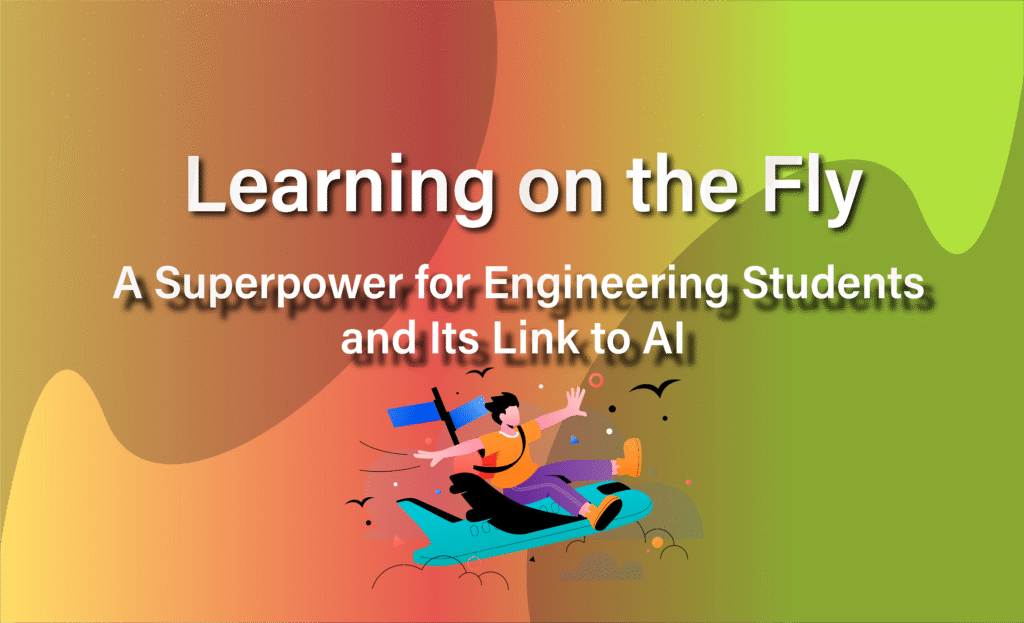
Learning on the Fly: A Superpower for Engineering Students and Its Link to AI

Learning on the Fly: A Superpower for Engineering Students and Its Link to AI In our fast-paced world, the ability to “learn on the fly” is essential to stand out in any industry. It’s the capacity to quickly adapt and acquire new skills or knowledge when facing unexpected challenges. As engineering students, we often grapple with complex subjects, making this skill difficult to cultivate, yet it is crucial and a key to mastering the topics we study. What Exactly is “Learning on the Fly”? Learning on the fly is a straightforward concept that can be easily explained through these points: Openness to Change: We naturally shy away from problems we face while studying a subject. However, learning on the fly means being ready for new problems and courageously seeking solutions. There’s no fear of wasted time because every effort is 100% beneficial. Experience-Based Learning: This involves improving through direct successes and failures. It takes time, but it’s absolutely worth the effort. Intellect over Knowledge: It’s about understanding *how* information connects and works (true intelligence) instead of just memorizing facts. Imagine the subject you’re learning as a map. After completing it the traditional way, this map might have some unknown areas that connect different lands. These “unknown places” are the valuable insights you gain through learning on the fly. Adaptability in Action: To master the “learning on the fly” skill, you need to be flexible and willing to experiment. This gives you the freedom to learn new things without constraint. Humility: Recognizing that you don’t have all the answers and learning from mistakes. Accepting this fact will naturally enable your mind to absorb and adapt more information effectively. Why “Learning on the Fly” is Your Superpower This dynamic skill provides significant advantages, especially for engineering students: Career Advancement: It opens doors to new opportunities and projects. Learning new things consistently leads to more innovative ideas, a better mindset, and a wider imagination. Relevance: It keeps you competitive in rapidly evolving industries. As mentioned, this skill is not common among engineers, so acquiring it will undoubtedly make you much more distinguished compared to your peers. Problem-Solving: It equips you to tackle never-before-seen issues. Being flexible and fast to adapt to situations and problems is a very rare and crucial ability. Being able to solve new problems better and faster than others is truly rewarding. Knowledge Boost: It expands your understanding across various fields, broadening your vision within your acquired knowledge. Cultivating the Mindset of Learning on the Fly Here are practical strategies to become an expert at learning on the fly: Sharpen Your Axe (Prepare): Before you start, set some clear goals. Think of a big skill like a huge mountain. Instead of trying to climb it all at once, break it down into smaller, manageable hills. And don’t be afraid to find a guide or a friend who’s already been there to show you the way. Optimize Your Focus: Find your perfect learning spot—a place where distractions can’t reach you. You can start with the “Five-Minute Rule”: just commit to five minutes of work. You’ll often find yourself going for much longer, and it’s a great way to trick your brain into starting. Learn by Doing: Real learning doesn’t happen just by reading. It happens when you jump in and get your hands dirty. Find a project or a real-life situation where you can use what you’re learning. This is where things truly click. Target Weaknesses (80/20 Rule): We all have areas where we’re not as strong, and that’s perfectly okay. Instead of just doing what’s easy, focus on the areas that challenge you the most. This is where the biggest improvements happen; it’s like finding the weak point in a chain and making it stronger. Test Relentlessly: Don’t just read something and hope it sticks. Test yourself constantly. Use questions to pull the information out of your brain. And don’t shy away from tasks that feel a little too difficult—that’s how you stretch your mind and truly learn. Seek Feedback: A good guide or friend can often see things you can’t. Ask for their honest feedback and use it to improve. Mistakes aren’t failures; they’re valuable hints telling you where to go next. Space Out Learning: Our brains tend to forget things over time. To counteract this, review what you’ve learned a little bit at a time, with increasing intervals in between. This helps the knowledge sink in deep, ensuring you don’t forget it later. Overlearn for Deeper Understanding: Instead of just learning the “what,” always ask “why.” When you understand the main ideas and principles behind a topic, you can connect it to everything else. This makes learning new things in that area much easier. Teach to Learn: The best way to ensure you truly understand something is to try to explain it to someone else. If you can teach it, you’ve mastered it. Plus, learning from someone who is just a step ahead of you is often more helpful than learning from a guru who might be too advanced to relate to your immediate needs. Balance Theory and Practice: It’s easy to get lost in books and articles (theory overload). To avoid this, make sure you’re spending enough time actually practicing. A good rule is to practice at least five hours for every one hour of theory. This balance ensures your new skills become second nature. The Dynamic Relationship Between Learning on the Fly and AI When developing advanced generative AI agents, programmers apply the “learning on the fly” concept to their AI models to teach them broadly. This approach helps the AI interact better with problems it needs to solve, making it more flexible and innovative in its responses. While our human analysis, ethical judgment, and understanding of bias are irreplaceable, especially for high-stakes decisions, AI can compensate for this disadvantage by learning from every piece of information it encounters. Conclusion:  “Learning on the fly” is more than just a skill; it’s like discovering a new

stay fit while studying
Efficient, Life Beyond Engineering

Stay Fit While Studying As Engineering Students

Stay Fit While Studying As Engineering Students Most men share the desire of having a great body and staying fit, which is generally related to our hormones. While staying fit has many methods and differs from one person to another, engineering students struggle to find time for a good body plan (not random sessions in the gym) that will absolutely lead to having a great body, without losing perfect notes in their studies. This is the problem that I tried to solve through this blog post, where I looked into several resources and social media to find out the best instructions and plans to achieve that. NB: You will find at the end of the blog post a link for an infographic that better explains and recaps the content. Why a Routine is Your Secret Weapon To be honest, routine is the only way to discipline. A lot of people think that this habit is negative. While routine can’t be boring if you always break it, let me explain: Waking up every day at 4:00 o’clock is hard, and doing that every day of the week and month seems impossible. But if you do it for 2 days in a row, then the third day you wake up at 6 or 7, this act will be like a gift for your body for waking up 2 days at 4 o’clock, which is a system our bodies really like. Doing something hard that makes you get rewarded! This was a simple example; I will talk about how to deal better with routine in a future post. Back to our topic, why did I start by talking about routine? Well, because it’s the only way to gain time. Having a good routine will always give you those 3 hours that will really make a difference. You want to stay fit, you have to get at least 2 hours: 1 hour and a half for workouts, and 30 minutes for preparing meals before and after the workout. I won’t say when to train yourself, because some people like to train at night while others in the morning. But scientifically and in relation with hormones and their impact on the rest of the day, training in the morning is way better. For me, I created a plan that I will strictly follow myself, and I’ll take photos of my body progress and note it ,when I started taking the routine easily and something like that, in order to share this experiment with others, which I believe myself, it will work. Routine Plan 4:00 AM – Wake Up & Hydrate Start your day by drinking a glass of water. Avoid hitting snooze; consistency helps regulate your body’s internal clock. 4:15 AM – Light Activity & Goal Setting Do some light stretching or meditation to prime your brain. Spend 15 minutes reviewing your academic and workout goals for the day. 4:30 AM – Focused Study Session (Pomodoro Technique) This is your golden hour of uninterrupted peace. Use the Pomodoro Technique: work for 25 minutes, then take a 5-minute break. Complete two Pomodoro cycles. This is a great time for your most challenging subjects. 5:30 AM – Pre-Workout Snack & Prep Fuel your body for the upcoming workout. This could be a banana, a protein bar, or some yogurt with granola. 6:00 AM – Workout Session Whether you hit the gym for strength training or go for a run, focus on efficiency. Having clear, specific goals for each session (e.g., focusing on technique) will give you the biggest improvements in the limited time you have. (For me, my goal is to have a good stomach, and learn how to do a handstand.) 7:00 AM – Post-Workout Nutrition & Shower Refuel within 30 minutes of intense activity to replenish energy stores and aid muscle recovery. A protein shake or a meal with lean protein and carbs is ideal. 7:30 AM – Healthy Breakfast & Review Enjoy a nutritious breakfast to fuel your mind for the day. Briefly review notes for your first class. Good breakfast options include oatmeal, eggs, whole-grain bread, and fruit. 8:00 AM – 12:00 PM – Classes & Focused Learning Attend all your classes and stay engaged. 12:00 PM – 1:00 PM – Lunch Eat a balanced lunch that includes lean protein, complex carbohydrates, and vegetables. Avoid greasy or fried foods that can make you feel sluggish. Use this time to decompress. 1:00 PM – 5:00 PM – Classes, Labs & Micro-Study Sessions Utilise small gaps between classes (10-15 minutes) to review flashcards, answer emails, or plan assignments. This prevents small tasks from piling up. If you have a longer break, find a quiet spot for another focused study session. (That doesn’t mean you have to be lonely or avoid being social, because these side tasks don’t exist daily.) 5:00 PM – 7:00 PM – Study & Homework Prioritise your most difficult assignments first, when your energy is higher. Use the Pomodoro technique again to stay engaged. 7:00 PM – 7:30 PM – Dinner Have a balanced dinner with protein, carbohydrates, and vegetables. 7:30 PM – 8:30 PM – Final Study Session or Light Review Finish your remaining tasks for the day. If your work is done, use this time to lightly review the day’s material to improve retention. 8:30 PM – 9:30 PM – Socialise & Unwind It is vital to leave time to socialise and relax to avoid burnout. Connect with friends or family, read a book, journal, or listen to a podcast. 9:30 PM – 10:00 PM – Prepare for Tomorrow & Wind Down Prep your bag, meals, and workout clothes for the next day. Create a relaxing bedtime routine and avoid screens, as the blue light can interfere with sleep. 10:00 PM – Sleep Aim for 7-8 hours of quality sleep every night. Sleep is crucial for muscle recovery, cognitive function, and overall well-being. Fueling Your Body: Nutrition for a Student-Athlete Proper nutrition is critical to fuel both your brain

AI NOTE TAKING FAIL
Efficient, Study Optimization

WHY DOES AI NOTE-TAKING FAIL ?

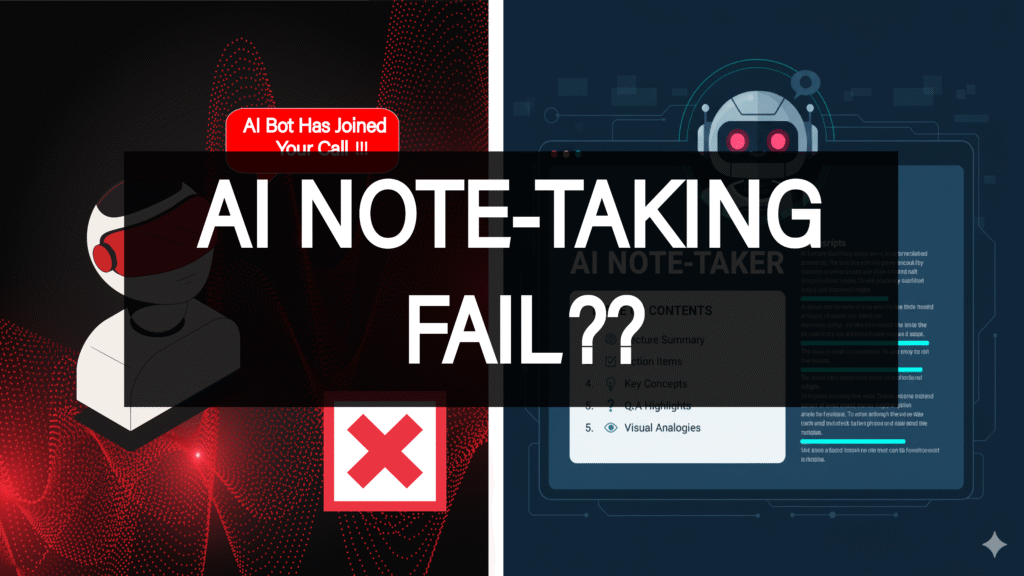
WHY DOES AI NOTE-TAKING FAIL ? Why Standard AI Note-Taking Fails ? Let’s be honest: finding an AI note-taker that actually helps rather than harasses feels almost impossible. The frustration is real, you try a new tool hoping for structured notes, but what do you get? The Spy Bot: A tool that demands to join your most sensitive meetings. As one user put it: “Otter bot randomly joins my calls, not cool.” The privacy invasiveness of tools that automatically join calls and upload to the cloud is a constant concern. The Garbage Summary: You spend an hour in a meeting only to receive a summary that is “not useful beyond the transcript.” Many tools simply paraphrase the raw text instead of extracting real insights or actionable items. The Accent Barrier: If you or your colleagues have anything other than a generic American or British accent, the transcription quality plummets. Most AI models still fail with Indian, Chinese, or African accents, a major systemic issue. We hear you. That’s why we filtered the field to find tools that prioritize your control, your privacy, and your ability to be understood. Example of a user experience: “Otter bot randomly joins my calls, not cool.” Why Is AI Note-Taking Essential in 2025? Whether you are a student or a professor, you’re missing out on valuable time and efficiency in studying or tutoring if you’re not using an AI note-taker. It’s simply essential in 2025 for navigating fast lectures, online resources, and exam preparation. What Students Use AI Note-Takers For ? Through research into how people and students use AI note-takers, it’s clear that these tools make learning faster and more intuitive. They help you digest knowledge by structuring information clearly. AI models can break down a general topic into multiple subtopics, allowing you to approach each separately instead of trying to grasp everything at once. Another example many have noticed when using generative AI is its ability to create comparison tables that make a huge difference in understanding concepts. AI models are also great at visualizing information, many users have experienced how helpful visual analogies from AI can be. AI also promotes active learning. Instead of passively reading content, you can treat the AI notetaker as a professor, ask it questions, dive deeper into details, and truly understand the subject. AI note-takers are also extremely useful for long-term memorization. They act as external drives that retain structured information, allowing you to revisit it anytime. A tool like Notion AI, for instance, can adapt to your preferred memorization method and organize information accordingly. Pro Tip: An AI note-taker can help you build your own knowledge database to later craft blog posts, YouTube videos, or code notebooks, content you can publish and share with your community. Methodology: How I Selected the Best AI Note-Taking Tools Our selection process wasn’t based on marketing claims but on user feedback, technical specifications, and security audits. We analyzed dozens of tools based on three critical user-centric requirements to ensure our recommendations go beyond “just getting a transcript.” Priority 1: Data Sovereignty and Privacy The primary filter was user control. Users consistently flag tools that automatically join calls (like the problematic “Otter bot”) or permanently store sensitive data in the cloud as intrusive or non-compliant. We prioritized tools based on the following criteria: Local/Offline Functionality: Does the data stay on your machine? (e.g., Granola, Hyprnote, Obsidian, Joplin) Explicit Privacy Guarantees: Tools like Jamie were prioritized for deleting audio after transcription and not storing data on third-party servers. Open Source/Encryption: Tools offering self-hosting and end-to-end encryption (Joplin). Priority 2: Unwavering Accuracy and Clarity Generic transcription quality isn’t enough, especially when models fail with diverse accents such as Indian, Chinese, or African. We prioritized tools demonstrating strong performance in complex audio environments: Accent Handling: Tools noted for high accuracy across multiple languages (Sonix, Notta, Speechmatics). Speaker Separation (Diarization): Identifying multiple speakers accurately is crucial for searchability (Krisp, Vomo AI, Tactiq). Flexibility: Support for manual audio uploads (Jamie, Sonix, Notta, Granola). Priority 3: Genuine Insights, Not Paraphrasing Many tools produce weak summaries that simply restate transcripts. We focused on tools offering fast automation, actionable items, and structured output. Those with cross-platform support and deep integrations (Notion, Slack, etc.) scored higher for minimizing “storage lock-in.” Privacy Problem Solution Tools If privacy is your top priority, and for sensitive client or medical work, it must be, avoid mandatory cloud storage. We found several tools designed specifically to keep your data contained: Joplin & Obsidian: The gold standard for control. Joplin is fully open-source and supports end-to-end encryption (E2EE) and self-hosted sync. Obsidian keeps your notes local, using community plugins for AI features so your data never leaves your device. Jamie: Privacy-first design with no meeting bots. Data is deleted after transcription, and audio is never stored on third-party servers. Hyprnote: Performs local processing only, ensuring sensitive data never leaves your device, HIPAA and GDPR compliant. Best and Most Used AI Note-Takers NotebookLM (Google): Built on Gemini; transforms readings and recordings into summaries, audio overviews, quizzes, and flashcards, making it a complete study companion.Con: Advanced features tied to paid tiers; limited support for handwriting. Notion AI: Combines productivity with smart note-taking as an all-in-one workspace for lectures, projects, and tasks. Offers AI summarization, writing, and research modes.Con: Full AI features require Business or Enterprise plans; not built for live audio transcription. Otter.ai: Excellent real-time transcription for lectures and meetings, creating searchable transcripts with summaries and speaker identification.Con: Free tier time limits; lacks advanced study features. MeetGeek: Designed for meeting transcription and summaries; works well for recorded lectures and produces clear bullet-point notes.Con: Built for business first, not optimized for education. PolarNotes AI: A leading note-taker for students and teachers, organizing lectures, slides, and documents into outlines, flashcards, and interactive quizzes.Con: Focused primarily on educational use. Evernote AI: Enhances classic note-taking with AI summarization and editing for typed notes, web clippings, and PDFs.Con: Limited audio/handwriting support; restricted free tier. Coconote: Built for student workflows; converts lectures into

AIIIIIIIIIIIIIIIIIIIIIII
Productivity

Best AI Video Editing & Graphic Design Tools for Engineering Student

Best AI Video Editing & Graphic Design Tools for Engineering Student Being innovative as an engineering student is challenging since it’s hard to engage in other fields like content creation while lacking time, but AI has changed the world with its huge capacity to do several tasks in a very short time. In this blog post, I’m going to break down many tools, including AI tools that I use myself, to help you in your path of practicing video editing and graphic design. TinyWow This website doesn’t offer only one AI tool, but a large library of useful AI tools that do different tasks for videos, audio, and docs — and it’s 100% free. You can use this tool for every problem you face while you’re working or studying, or whenever you face a problem. Footage Tools Freepik A website that provides a large source of images, vectors, and illustrations. Many of those assets are free, and they are very useful and high-quality elements. Freepik also contains AI tools for high-quality image, video, and voice generation, limited on the free subscription but worth trying. Vecteezy Same idea as Freepik with almost the same characteristics, but it differs with its green screen elements that Vecteezy provides. It also provides videos for editing, unlike Freepik. Both have their strong points. Pexels A large library of high-quality camera-taken images and videos. Elements on this website are good for emotional expressions and, generally, in editing. How to Combine These Websites for the Best Result I have used these tools for a long time. During that time, I discovered the best way to combine them for productivity. I usually use Freepik for illustrations, vectors, and some images. People there post high-quality AI images that can be really helpful thanks to innovations. Since I get all that from Freepik, I use Vecteezy mostly for green screen elements. Now for Pexels, I mostly use videos and sometimes some images. AI Voice Maker ElevenLabs This website is well known by editors who use AI voice in their content. It gives around 10k credits per account. This quantity is enough for many videos, and then you can simply create another account and use it if you insist on a free subscription. Realistic AI voices, with a very large voice library for several languages. AI Voice Generator If you aim for long-term free use of AI voice tools with less quality, I strongly suggest this tool. It provides a short list of voices you can always use for free, but their quality is not that good and can be easily discovered as AI voice. AI Image Maker NightCafe A website that provides high-quality AI images and videos. In general, tools on Google are similar to use, but this website is a bit different. It’s more like a platform where people create images through a prompt, then share them. From there, you can get inspiration from others’ prompts and images. This website provides daily credits through some easy missions, so you can keep using it for free. It has the ability not just to generate high-quality AI images, but also to enhance them, edit them, or increase their quality. In general, you can create up to five images daily for free. Inspiration Tools Dribbble Every designer or video editor must have a source of inspiration where they collect many ideas from other people and combine them to make a new innovative idea. I can say that this website is fairly one of the best inspirational websites ever. It simply provides inspiration in different fields like graphic design, video editing, web design, post design… Pinterest A well-known website and a huge source of inspiration, but a little distracting. You can use it to get more inspiration — it’s recommended. You lose nothing if you search on it for 10–15 minutes, but you will surely get more inspiration. Designspiration https://www.designspiration.co Best Tools for Editing CapCut CapCut is one of the famous tools you can use to edit high-quality videos for free. It’s simple and doesn’t require strong skills. CapCut provides many tools like an auto-caption generator and a very large set of filters and effects. DaVinci Resolve This program can be downloaded for free, with a free version that is completely enough for editing. It’s like the two famous programs Premiere Pro and After Effects combined together. DaVinci Resolve gives you the ability to make innovative videos and deal with 3D elements to create a very high-quality 3D viral video. Best 3D Website Sketchfab A website that provides a lot of 3D elements. Many of them are free; others are free for editing outside of a company title, but it’s very worth it and very fun. Best Tools for Graphic Design Canva Canva is a well-known AI-powered graphic design tool that can save you tons of time when creating single image posts, carousels, or stories. Thanks to its amazing templates — many of which are completely free — it’s super easy to create professional-looking designs in minutes. The user interface is also incredibly simple, giving you the option to customize and add your personal touch if you want. It’s also great for making infographics and diagrams, removing backgrounds, getting smart design suggestions, and instantly resizing your work for different platforms. Honestly, Canva is perfect for anyone with zero graphic design experience — or even less 🙂 It’s simple, effective, and just gets the job done. GIMP ( = Photoshop ) This tool is a well-known alternative to Photoshop. It’s driven for editing images, adding effects or shapes, and professional color editing. Inkscape ( = Illustrator ) This tool is also well known as an alternative to Adobe Illustrator. It’s very good at dealing with vector elements to create wonderful illustrations or editing photos in general. Previous PostNext Post Popular Posts Top 7 AI writing tools for Engineering Students Top AI Posting Tools Every Engineering Student Should Use to Be Innovative Without Design Skills Best AI Video Editing & Graphic Design Tools for

top ai tools to be innovative
Productivity

Top AI Posting Tools Every Engineering Student Should Use to Be Innovative Without Design Skills
Top AI Posting Tools Every Engineering Student Should Use to Be Innovative Without Design Skills Being innovative as an engineering student is challenging since it’s too hard to engage in other fields like content creation while suffering from a lack of time, but AI changed the world with its huge capacity of doing several tasks in a very short time. In this blog post, I’ll break down the most effective AI tools I tried myself to create content touching many problems, without losing a lot of time. Koala Chat This AI tool is specialized in generating high-quality answers and posts for community-driven platforms like Quora and Reddit. Quora and Reddit are essential in the beginning of audience base creation, and this AI tool has the ability to match the platform tone, such as being informative, helpful, and engaging. You can easily save time by generating well-structured answers to technical questions, and it boosts credibility as you can consistently share valuable insights. KoalaChat helps you build a personal brand on Reddit and Quora, where thoughtful answers can gain visibility and reactions. Typefully Engaging on LinkedIn and X is very important for professional and educational content. Posting regularly on them must increase your insights with the audience interested in the content you provide. Typefully is a very useful AI tool that creates posts oriented and tailored for writing, scheduling, and analyzing posts on LinkedIn and Twitter. It helps with crafting impactful and professional posts. This AI tool contains analytics to show which posts perform best. Typefully helps you grow your professional presence by sharing your innovations and learnings effectively on LinkedIn and X (positioning yourself as a thought leader in your field). Quso.ai If you ever thought that creating videos is tiring, time-consuming, and requires skills, this tool changes the equation. It really creates high-quality reels from any video, analyzing where the valuable parts are and generating short/reel videos with captions. You really need nothing but uploading or creating a video, then it does the rest. Quso.ai generates fresh ideas for posts and projects, helps with structural and technical writing in very clear ways, and is also great for answering questions on Quora or drafting thought-leadership posts. Quso.ai best abilities: Auto-detect scene breaks using CutMagic Identify engaging segments as bite-sized clips Remove silence and filler words Another suggestion is Pictory.ai, which is an AI video summarization and content repurposing tool. This AI tool uses AI to create short, shareable video clips from long content like lectures, webinars, and presentations. This tool is way more valuable for educational content. Pictory provides many services: it can automatically extract highlights and key insights, convert written content into video summaries, and is great for repurposing project reports or presentations. Canva Canva is a well-known AI graphic design tool. Using it allows you to save a lot of time when posting single image posts, carousels, or stories, thanks to its magnificent templates (many of them completely free to use) and its simple user interface where you can add your own touch to the design if you want. Canva can also help with creating infographics and diagrams, provide background remover, design suggestions, and instant resizing. Canva is really perfect for a person with zero graphic design knowledge or even less 🙂 It’s really simple and effective. Invideo.io Back to video creation, this powerful AI tool, Invideo.io, allows you to turn scripts, ideas, or blogs into professional videos, with any size—whether long YouTube videos or shorts/reels. The way it works is very innovative. It doesn’t just create AI videos from your ideas but gathers real elements (not generating them) like photos or videos to make your content more realistic, as AI-generated videos or photos sometimes seem dumb or unreal. Invideo.io provides many services: AI can convert text into engaging video content with voiceovers Library of templates, stock footage, and transitions This tool is really ideal for creating explainer videos or project showcases with the huge benefit of saving many hours. Buffer AI / Uncanny Automator After being able to generate ideas, videos, graphic posts, and text posts, the thing we need now is posting. Posting on TikTok, Instagram, LinkedIn, X, YouTube, and even Quora or Reddit involves a lot of platforms. All of them have benefits and their own style of posts, and using all of them will obviously boost your content—but will consume a lot of time. Here comes Buffer AI with its ability to schedule, analyze, and optimize media posts from one source. It means you can manage posting from only Buffer, after linking it to all your accounts, where you can manage your posts on all the platforms from there, and you can even schedule them for weeks or months. Buffer AI helps with automating posting times for maximum reach, and it suggests post ideas to keep your content flow active. Buffer AI helps you maintain a professional online presence effortlessly, with a huge ability of control and management. For bloggers who want to share their content automatically on social media platforms, if you use WordPress, this plugin must be very useful. Uncanny Automator is a free plugin that will help you share your blog posts on social media once you publish your post. It’s effective, professional, and a real-time saver. Previous PostNext Post Popular Posts Top 7 AI writing tools for Engineering Students Top AI Posting Tools Every Engineering Student Should Use to Be Innovative Without Design Skills Best AI Video Editing & Graphic Design Tools for Engineering Student Living in Germany as Engineering Student : Why is it hard living in Germany without speaking German? Gaussian Mixture Models Explained
Top AI writing tools
Productivity

Top 7 AI writing tools for Engineering Students

Top 7 AI writing tools for Engineering Students   Introduction Engineering students often struggle with a lack of time, which forces them to study all day and neglect opportunities for innovation. One of the most time-consuming tasks is writing  including reports, research papers, essays for certain classes, or even project explanations. While these tasks generally consume a lot of time, you can significantly reduce the effort by using AI writing tools. These tools truly make a difference and save you hours of work. In this blog post, I’m going to break down 10 AI writing tools , each of which I’ve personally tested. Top AI Writing Tools Blainy An academic AI writing assistant focused on research papers and essays. It offers citation helpers for: APA (American Psychological Association) MLA (Modern Language Association) IEEE (Institute of Electrical and Electronics Engineers) It also provides auto-complete, PDF chat, and paraphrasing. Users report up to 20× faster output. GBT Humanizer An AI tool designed to humanize text and make it sound more natural. Its clean, no-frills interface is both simple and efficient. The write/rewrite process helps AI content pass detection tools. This tool can be a game changer  and real saver when you have a very close deadlines, thanks to its efficiency and ability of humainizing AI content. Grammarly A market-leading grammar and spell-checker that also suggests tones and checks for plagiarism. It includes AI-powered paraphrasing and an AI content detector. Grammarly integrates with browsers, Office apps, and can be used as a desktop application, helping you improve every text you write. ProWritingAid A comprehensive writing mentor that helps with grammar, style, readability, overused words, and sentence length. Now featuring AI-driven manuscript analysis, it’s excellent for long-form content like essays and manuscripts. It also integrates with Office apps and platforms like Notion. Winston AI A leading AI content detector claiming 99.98% accuracy. It checks for plagiarism, analyzes images, and provides AI humanization detection. It can identify content from ChatGPT, Gemini, Claude, LLaMA, and more across multiple languages. The tool highlights sentence-by-sentence which parts are human or AI-generated. It also includes a Chrome extension. Yomu AI A student-focused AI writing tool that generates ideas, paragraphs, and grammar suggestions. It assists with citation recommendations and highlights weak arguments or unclear logic. It also includes a built-in plagiarism checker. Paperpal A precision tool for academic writing with real-time suggestions. It not only improves content but also gives feedback to help students improve their writing skills. Paperpal offers grammar and style corrections aligned with academic standards, a plagiarism checker, and ethical data use (it doesn’t use your content for training). It integrates with MS Word, Google Docs, and Overleaf. Conclusion AI writing tools are not only time-savers but also improve your writing skills and help you become better with the language itself. They not only increase productivity and content quality but also open doors to innovation. These tools are useful for blog posting and script writing. We encourage you, as an engineering student, not only to focus on studies but also to save time with these tools and use it to engage in other fields like content creation and blogging. Previous PostNext Post Popular Posts Top 7 AI writing tools for Engineering Students Top AI Posting Tools Every Engineering Student Should Use to Be Innovative Without Design Skills Best AI Video Editing & Graphic Design Tools for Engineering Student Living in Germany as Engineering Student : Why is it hard living in Germany without speaking German? Gaussian Mixture Models Explained
language tips
Study Optimization

Fluent in German, Confident in Class: Language Tips for Engineering Students in Germany

Fluent in German, Confident in Class: Language Tips for Engineering Students in Germany Why Is Speaking German with Others Hard?​ Here’s a list that gives you a clear view of what makes speaking German with others difficult:  Complex Sentences and Long Words German often uses complex sentence structures and long compound words. For example: German Word Meaning in English Krankenversicherung Health insurance Geschwindigkeitsbegrenzung Speed limit Zahnärztliche Untersuchung Dental check-up It’s Hard to Form Sentences Quickly You always have to think about placing the verb at the end of the sentence, which slows down your speech. Verb Tenses Are Challenging One of the hardest parts is using the correct verb tense: Perfekt, Präteritum, Konjunktiv II, and so on. Adjective Endings and Articles Another big problem is writing adjectives correctly especially knowing which article (der, die, das) fits each word. Case Confusion: Nominative, Accusative, Dative, or Genitive? This is a widespread issue for learners. You’re not alone! Choosing the Right Words and Expressions Sometimes, it’s hard to know which words or expressions to use, especially for things like probability or wishes. Examples: ob, wenn, wünschen, damit, um zu, etc. What Are the Basic Methods to Improve Speaking? Listen to a lot of German: podcasts, YouTube videos, etc. This will help you understand better and faster, and teach you which sentences are commonly used by native speakers.   Find a language partner: Look for study groups on platforms like Discord or Telegram. This improves your reflexes when answering and discussing.   Read anything in German: Stories, comics, etc. This helps you naturally adapt to the language.   Watch films: Make a list of pure German-language films. Films help you see how people react when speaking their expressions and body language.   Listen to the news: Make it a short daily habit no more than 30 minutes. You’ll learn political vocabulary and gain insight into how the German people view the world Special Key methods ( daily routine ) Adapt it as a life routine: every 30 minutes of your day must include German. That might sound awkward now, but it will become possible and automatic with these methods: Listen to spoken German that’s close to street language: news segments where people are interviewed, podcasts, or vlogs. Talk to yourself in the mirror, out loud, and record yourself. Imitate the intonation and pronunciation of the German words you heard in podcasts. Force yourself to integrate. Yes, you might feel stupid at first, but those embarrassing moments will give you the drive to speak. Your body will react on its own -believe me. Label everything in your house with sticky notes, and say the word every time you use the object. You won’t struggle to remember it anymore.  Roleplay Your Day in German Narrate your actions and thoughts in German as you go through your day, like a monologue: “Ich mache mir einen Kaffee.” (I’m making myself a coffee.) “Wo sind meine Schlüssel?” (Where are my keys?) You can even do this in your head if you’re in a public place! Keep a German-Only Diary Write a short journal entry in German every day. Start simple just a few lines about your day, thoughts, or plans. Use a dictionary when needed. Over time, you’ll notice patterns in your grammar and vocabulary.  Follow German Recipes Cook German dishes using recipes written in German. You’ll learn food-related vocabulary and instructions, and experience German culture through cuisine. Start with something simple like Kartoffelsalat (potato salad) or Apfelstrudel.  Play German Board or Video Games Play games in German either physical games with German instructions (like Codenames or Scrabble in German), or switch the language of your favorite video games. Many learners improve significantly just by gaming in their target language.  Take a “German City Walk” with Google Street View Pick a German-speaking city (Berlin, Munich, Vienna, Zurich) and “walk around” using Google Street View. Look at store signs, advertisements, menus, posters anything in the environment. You can even pretend you’re giving a tour in German.  Use the Shadowing Technique Find a German podcast or audio recording and try to repeat every word in real time with the speaker. Mimic pronunciation and intonation. It’s like doing vocal push-ups —great for speaking fluency and accent.  Read Children’s Books or Comics in German They’re simple, fun, and visual. Try Der kleine Prinz (The Little Prince) or comics like Asterix in German. You’ll learn natural sentence structures and vocabulary in context, without feeling overwhelmed. Turn Your Environment into a Puzzle Put sticky notes or flashcards with only the German word (no native language) on items around your home. Create games to test yourself daily: “Find 5 objects that start with ‘S’ in German.” Change the words weekly to expand your vocabulary.  Teach Someone Else Teaching forces you to explain concepts clearly. Try explaining German grammar rules, words, or phrases to a friend (even if they’re not learning). If no one is available, pretend you’re teaching a lesson to an imaginary class.  Watch German with NO Subtitles Challenge yourself with short scenes or episodes without subtitles. Your brain will work harder to infer meaning from tone, body language, and context. Then rewatch with German subtitles to confirm your understanding.  Dream in German (Yes, Really!) Right before bed, review a few German words or sentences. Your brain might process that input overnight, and yes, many learners have reported dreaming in their target language after doing this consistently. I’m still personally on my way to speaking Deutsch fluently. I’m already at a B2 level with a TELC certificate. Working with these methods is helping me move forward quickly on my learning path. Real life experiences of real people :   Previous PostNext Post Popular Posts Top 7 AI writing tools for Engineering Students Top AI Posting Tools Every Engineering Student Should Use to Be Innovative Without Design Skills Best AI Video Editing & Graphic Design Tools for Engineering Student Living in Germany as Engineering Student : Why is it hard living in Germany without speaking
why is it hard living in germany without speaking german
Life Beyond Engineering

Living in Germany as Engineering Student : Why is it hard living in Germany without speaking German?

Living in Germany as Engineering Student : Why is it hard living in Germany without speaking German? Why Speaking German Matters in Daily Life ? Residing in a nation and not being fluent in the local language leads to more than just tiny blunders. Being unable to communicate means you are unable to conduct any transactions that require comprehension of the other person’s language, much less any conversation. It affects everything you do. And when it comes to doing an activity that is funded by the law, there is no mercy.Asking for help on the street, in a store, or while traveling is typical. But many folks don’t realize this: the majority of Germans want to speak German. That makes getting help and information from Germans in their country less probable because you fumble for the German words in your head. And boy, does it make you feel stuck or averse to even trying in the future.It also can and does waste time when one does not understand the language. The U-Bahn (subway), for example, may announce that the train will split or change direction. If you don’t understand, you may very well wind up in the wrong place.If you want a part-time job or need to rent a room in a shared flat or student housing, German is essential. Without it, you can’t explore many options.And no, Google Translate doesn’t always get it right. You will require a real understanding, not just an application, to accomplish this task.I went through many situations like one time, an agency of papers called me a for hiring workers with her. The person that called me talked very fast in german, i couldn´t understand him after many trials and told him to talk in english. He told me that sent them the B2 level certificate where i must talk german fluently, then he back talking in german again. This situation forced me to understand what he was saying and I could answer him. ( i didn’t get the job of course ) What Makes German Hard to Learn If you know the tricky parts, learning German becomes easier to plan. Here’s what to expect: Complicated Sentences: The verb often comes at the end—especially in subordinate clauses. Articles and Genders: German has der, die, das—three genders for nouns, and they must match the articles. It’s not always logical. Strange Pronunciation: Sounds like ch and r can be tricky at first, but German spelling is consistent. Fast Native Speech: Germans speak quickly, which makes it harder to catch words early on. Hard-to-Guess Vocabulary: Some words feel unrelated to English or other languages. Weird Spelling Rules: Capitalizing all nouns and some unusual letter combos take time to get used to. Complicated Words: Many long words are just short ones stuck together (like Lego). Longest word in german : RindfleischetikettierungsüberwachungsaufgabenübertragungsgesetzWich means : Beef labeling regulation & delegation of supervision law Exemple :      German Word Meaning in  English Krankenversicherung Health insurance Geschwindigkeitsbegrenzung Speed limit Zahnärztliche Untersuchung Dental check-up Grammar Challenges Cases: German uses four cases to show what nouns do in a sentence. Articles and pronouns change based on these roles. Word Order: German sentences are flexible, but you need to understand grammar to know why things move around. Plurals: There’s no one way to form plurals—but patterns exist. Separable Verbs: Some verbs split in two parts (e.g., aufhören → hören … auf). Prepositions: Some change meaning and case based on movement vs. position. Why It Gets Easier ? It Follows Patterns: German is logical and rule-based. Once you get the system, it becomes predictable. But still there are many exceptions that you just have to accept and live withEx: zu Hause and not in Hause → many people make those mistakes and when you avoid them you earn respect from locals/germans. German and English Are Cousins: About 40% of common words are similar.+examples :  Apfel – apple Banane – banana Buch – book Haus – house Wasser – water Mutter – mother Vater – father Hand – hand Name – name Computer – compute How to learn german? Learning German Through CEFR Levels: A Smart Path(typical) The CEFR levels (A1 to C2) break German learning into clear, manageable steps. This structure makes the journey easier and more effective. The German Levels Explained: A1 – Beginner: Basic words and simple topics (body parts, feelings, household items, etc.). A2 – Elementary: More vocabulary, basic grammar, and common verbs. B1 – Intermediate: Key grammar rules, enough to start speaking and expressing yourself. B2 – Upper Intermediate: Bigger vocabulary, deeper grammar from B1. C1 – Advanced: Can understand and use German in academic or work settings. C2 – Near-native: Full fluency, like a native speaker. Following this path helps you not just learn German, but live it. Tips to Boost Your Learning (be innovative!) Write a lot: Writing often—and getting feedback from a teacher or fluent speaker—will push your skills forward. Speak as much as possible: Speaking helps you remember vocabulary and improves both your speaking and writing. Focus on grammar early: Strong grammar skills at the start will make speaking and understanding much easier later. Idols & Resources must help you through your challenges: Popular books :  German All-in-One for Dummies The Everything Essential German Book German Grammar for Beginners: Textbook + Workbook Included German Learning Book for Beginners A1-A2 books that I personally used before to learn :  Spektrum   Projekt B2 neu Testbuch Der passagier ( story) Lesehefte Deutsch als Fremdsprache So geht´s zu B2 ( you can find them in Telegram as Pdf )   Youtube channels i a recommend and helped me a lot:  Easy german ( there are some podcasts too ) Max Yoko  Learn German Fast with Herr Antrim   I also recommend watching some kids cartoon or comics, it contain simple spelling and will help you improve spelling and understanding deutsche Umgangssprache. How to Larn German (my top tips + resources) ✨ Previous PostNext Post Popular Posts Top 7 AI writing